LLM Hosting

llama.swap Model Switcher Quickstart for OpenAI-Compatible Local LLMs

llama.swap Model Switcher Quickstart for OpenAI-Compatible Local LLMs

Hot-swap local LLMs without changing clients.

Soon you are juggling vLLM, llama.cpp, and more—each stack on its own port. Everything downstream still wants one /v1 base URL; otherwise you keep shuffling ports, profiles, and one-off scripts. llama-swap is the /v1 proxy before those stacks.

LocalAI QuickStart: Run OpenAI-Compatible LLMs Locally

LocalAI QuickStart: Run OpenAI-Compatible LLMs Locally

Self-host OpenAI-compatible APIs with LocalAI in minutes.

LocalAI is a self-hosted, local-first inference server designed to behave like a drop-in OpenAI API for running AI workloads on your own hardware (laptop, workstation, or on-prem server).

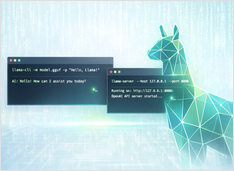
llama.cpp Quickstart with CLI and Server

llama.cpp Quickstart with CLI and Server

How to Install, Configure, and Use the OpenCode

I keep coming back to llama.cpp for local inference—it gives you control that Ollama and others abstract away, and it just works. Easy to run GGUF models interactively with llama-cli or expose an OpenAI-compatible HTTP API with llama-server.

Ollama vs vLLM vs LM Studio: Best Way to Run LLMs Locally in 2026?

Ollama vs vLLM vs LM Studio: Best Way to Run LLMs Locally in 2026?

Compare the best local LLM hosting tools in 2026. API maturity, hardware support, tool calling, and real-world use cases.

Running LLMs locally is now practical for developers, startups, and even enterprise teams.
But choosing the right tool — Ollama, vLLM, LM Studio, LocalAI or others — depends on your goals: