
Remote Ollama access via Tailscale or WireGuard, no public ports
Remote Ollama access without public ports
Ollama is at its happiest when it is treated like a local daemon: the CLI and your apps talk to a loopback HTTP API, and the rest of the network never finds out it exists.
By default, that is exactly what happens: the common local base address is on localhost port 11434.
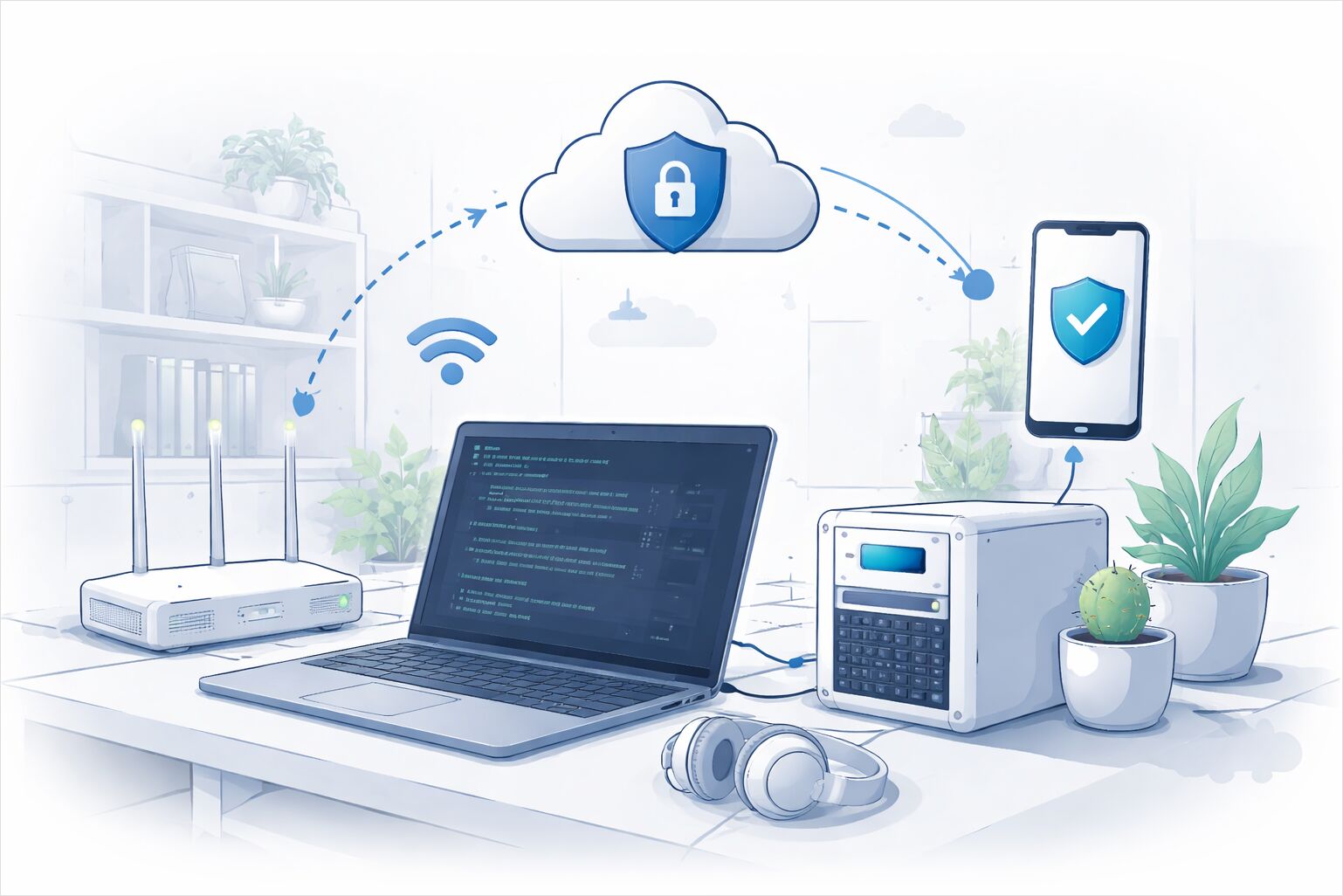
This article is about the moment you want remote access (laptop, another office machine, maybe a phone), but you do not want to publish an unauthenticated model runner to the whole internet. That intent matters, because the easiest scaling move (open a port, forward it, done) is also the move that creates the mess.
A practical north star is simple: keep the Ollama API private, then make the private network path boring. Tailscale and WireGuard are two common ways to do that, and the rest is making sure the host listens only where it should and the firewall agrees.
Remote device
  |
  | (private VPN path: tailscale or wireguard)
  v
VPN interface on host (tailscale0 or wg0)
  |
  | (local hop)
  v
Ollama server (HTTP API on localhost or VPN IP)
Threat model and who should reach the API
How can Ollama be accessed remotely without exposing it to the public internet? The answer is less about a specific tool and more about being explicit on “who is allowed to connect” and “from where”.
A useful mental model is three concentric rings:
- Local only: only processes on the box can call the API.
- LAN only: devices on the same local network can call the API.
- VPN only: selected devices and users on a private overlay network can call the API.
The first ring is the default. Many guides (and tools like Postman) assume the base URL is localhost 11434, which is both convenient and a surprisingly strong safety boundary.
The reason the rings matter is that Ollama is commonly described as having no built-in authentication for its local HTTP API, meaning network exposure and access control become your job if you move beyond localhost.
The other reason is cost and abuse: even a “private” LLM endpoint is still an API endpoint. The OWASP API Security Top 10 calls out categories like security misconfiguration and unrestricted resource consumption; a model runner is practically a poster child for “resource consumption” if exposed casually.
So the basic threat model is not only “an attacker reads my data”. It is also “someone can drive my CPU and GPU like a rented car” and “unintended users discover it and start building against it”.
OLLAMA_HOST and bind semantics in 90 seconds
What does OLLAMA_HOST do and what is the safest default value? OLLAMA_HOST is the switch that controls where the Ollama server listens. In ollama serve, the environment variable is described as the IP address and port for the server, with a default of 127.0.0.1 and port 11434.
In plain terms, the bind address decides which networks can even attempt a TCP connection:
- 127.0.0.1 means localhost only.
- A LAN IP (like 192.168.x.y) means the LAN can reach it.
- 0.0.0.0 means all interfaces (LAN, VPN, everything) can reach it unless a firewall blocks them.
That is why most “make it accessible” how-tos suggest switching from 127.0.0.1 to 0.0.0.0, but that advice is incomplete without an interface-aware firewall.
Here is the cheat sheet I keep in my head:
# Local only (baseline)
export OLLAMA_HOST=127.0.0.1:11434

# All interfaces (powerful, easy to regret)
export OLLAMA_HOST=0.0.0.0:11434

# VPN interface only (preferred when the VPN has a stable IP on the host)
export OLLAMA_HOST=100.64.0.10:11434   # example tailscale IP
export OLLAMA_HOST=10.10.10.1:11434    # example wireguard IP

# Different port (useful when 11434 is already taken)
export OLLAMA_HOST=127.0.0.1:11435
The “different port” case is explicitly discussed in the Ollama issue tracker as an example of using OLLAMA_HOST to alter the listen port.
One operational footnote that bites people: if Ollama runs as a managed service, setting environment variables in an interactive shell does not necessarily change the service configuration. This is why many “it worked in my terminal but not after reboot” stories end up in systemd unit overrides or service manager configuration.
Pattern A VPN first with Tailscale
Can Tailscale restrict access to only one service port on a machine? Yes, and that is a big part of why Tailscale is a good fit for “remote access without publishing”.
Tailscale gives you a private network (a tailnet) with centrally managed access controls (ACLs). ACLs exist specifically to manage device permissions and secure the network.
No public port means no router choreography
The cleanest pattern is to avoid opening any internet-facing port for Ollama at all and treat the VPN as the only ingress. With Tailscale, devices attempt to connect directly peer-to-peer when possible, and can fall back to relay mechanisms when direct connectivity is not possible.
This is not magic security by itself, but it radically shrinks the blast radius compared to “I forwarded 11434 on my router”.
Split horizon and naming with MagicDNS
A second question that shows up in real life is “do I connect via LAN IP when I am at home and via VPN IP when I am away”. That is basically a split-horizon problem.
Tailscale MagicDNS helps by giving each device a stable tailnet hostname. Under the hood, MagicDNS generates a FQDN for every device that combines the machine name and your tailnet DNS name, and modern tailnet names end in .ts.net.
The opinionated take is that using a name is usually better than hard-coding an IP, because the name follows the device even if your tailnet IP changes. But it is also fine to be intentionally boring and keep a small hosts file or a single internal DNS record if you prefer. MagicDNS exists so you do not have to.
Direct port versus tailnet-only proxying
There are two common Tailscale ways to reach a service:
- Direct port access, where the service listens on the tailnet interface and clients connect to that IP and port.
- Tailscale Serve, where Tailscale routes traffic from other tailnet devices to a local service on the host.
Serve is explicitly described as routing traffic from other tailnet devices to a local service running on your device.
For Ollama, Serve can be attractive because it lets you keep Ollama on localhost and expose only a controlled ingress path through Tailscale. It also pairs naturally with HTTPS inside the tailnet if you want browser-friendly endpoints.
A related feature worth naming and then mentally parking is Funnel. Funnel is designed to route traffic from the broader internet to a service on a tailnet device and is explicitly for “anyone to access even if they do not use Tailscale”. That is the opposite of this article.
Pattern B WireGuard for those who want the raw primitives
WireGuard is the underlying primitive that powers many VPN products, and it is deliberately minimal: you configure an interface, define peers, and decide what traffic is allowed to flow.
The WireGuard quick start shows the basic shape: create an interface such as wg0, assign IPs, and configure peers with wg.
The key concept for scoping access is AllowedIPs. In the Red Hat documentation, WireGuard reads the destination IP from a packet and compares it to the list of allowed IP addresses; if the peer is not found, WireGuard drops the packet.
For an Ollama host, the practical translation is:
- Put the host on a private WireGuard subnet.
- Bind Ollama either to localhost and forward to it, or bind directly to the WireGuard IP.
- Only peers that have the correct keys and AllowedIPs can route traffic to that private IP.
This is fewer moving parts than a commercial overlay, but it also means you are responsible for key distribution, peer lifecycle, and how remote peers reach your network.
Firewall allow only VPN interface or tailnet
How can a firewall limit Ollama to only VPN interface traffic? The goal is to prevent accidental exposure even if the bind address becomes broader than intended.
The general pattern is:
- Allow the Ollama TCP port only on the VPN interface (tailscale0 or wg0).
- Deny the same port on everything else.
- Prefer “default deny inbound” if you operate that way for the host.
Tailscale has explicit guidance on using UFW to restrict non-Tailscale traffic to a server, which is essentially the “lock down everything except the tailnet” approach.
One nuance that matters for Tailscale specifically is that host firewall expectations may not match reality if you assume UFW will block tailnet traffic. The Tailscale project has discussed that it intentionally installs a rule to allow traffic on tailscale0 and relies on an ACL-controlled filter inside tailscaled.
That is not an argument against a host firewall. It is an argument for being deliberate about which control plane is actually enforcing policy. If you want “only these devices can reach port 11434”, Tailscale ACLs are designed for that job.
If you do want interface-level host controls anyway, the examples tend to look like this:
# UFW style logic (illustrative)
ufw allow in on tailscale0 to any port 11434 proto tcp
ufw deny  in to any port 11434 proto tcp

# Or for wireguard
ufw allow in on wg0 to any port 11434 proto tcp
ufw deny  in to any port 11434 proto tcp
Even if you rely primarily on VPN policy, the host firewall still provides a useful “seatbelt” against misbinding to 0.0.0.0 or unexpected service wrappers.
Optional reverse proxy only on VPN ingress
When is a reverse proxy useful for remote Ollama access? A proxy is useful when you want one or more of these properties:
- A standard authentication gate (basic auth, OIDC, client certs).
- TLS termination with a certificate clients trust.
- Request limits and timeouts.
- Cleaner URLs for tools that dislike raw ports.
This is where the “do not publish to the internet” intent should still stay true: the reverse proxy is reachable only via the VPN, not on the public WAN interface.
Is TLS needed when traffic already goes through a VPN? Not always for cryptography, but often for ergonomics. Tailscale points out that connections between nodes are already end-to-end encrypted, but browsers are not aware of that because they rely on TLS certificates to establish HTTPS trust.
If you are in the Tailscale world, you can enable HTTPS certificates for your tailnet, which requires MagicDNS and explicitly notes that machine names and the tailnet DNS name will be published on a public ledger (certificate transparency logs).
That public-ledger detail is not a reason to avoid TLS, but it is a reason to name machines like an adult (avoid embedding private project names or customer identifiers in hostnames).
This article intentionally does not include full reverse-proxy configuration (see your A1 article for that). The only idea that matters here is placement:
- Ollama listens on localhost or VPN IP.
- Reverse proxy listens on the VPN interface only.
- Proxy forwards to Ollama.
Security checklist for remote Ollama API access
This is the checklist I use to keep “remote” from silently becoming “public”.
Binding and reachability
- Confirm the server listens where you think it listens. The documented default is 127.0.0.1 and port 11434, and OLLAMA_HOST changes that.
- Treat 0.0.0.0 as a deliberate choice, not a convenience toggle.
- Prefer binding to a VPN interface IP when it is stable and fits the topology.
Access control
- If using Tailscale, implement ACLs that allow only the specific users or tagged devices to the Ollama port. ACLs exist to manage device permissions.
- If using WireGuard, keep AllowedIPs tight and treat keys as the real identity boundary. WireGuard drops packets that do not match a valid peer AllowedIPs mapping.
Firewall
- Add a host-level rule that allows the Ollama port only on tailscale0 or wg0 and blocks it everywhere else.
- If you expect UFW to block tailnet traffic, verify how Tailscale interacts with your firewall. Tailscale has discussed allowing tailscale0 traffic and relying on ACL filtering inside tailscaled.
TLS and proxying
- Use TLS when clients are browsers or when tooling expects HTTPS, even if the VPN already encrypts transport. Tailscale documents this gap between VPN encryption and browser HTTPS trust.
- If you enable Tailscale HTTPS certs, remember the certificate transparency implication for hostnames.
- If you add a reverse proxy, keep it VPN-only and use it for auth and limits, not for internet exposure.
Avoid accidental public exposure
- Be wary of features explicitly designed to publish services to the internet. Tailscale Funnel routes traffic from the broader internet to a tailnet device, which is not the default-safe path for an Ollama API.
- If anything ends up internet-reachable, do not leave an anonymous
/apisurface. At that point, the OWASP API “security misconfiguration” and “resource consumption” risk categories stop being theoretical.
Observability and damage control
- Log requests at the ingress layer (VPN policy logs, proxy logs, or both).
- Add request and concurrency limits if your proxy supports them, because model inference is a resource event, not a normal API call.
The consistent theme is boring on purpose: keep the Ollama API private by default, add a private path for remote access, then enforce that policy twice (VPN identity plus host firewall) so a single misstep does not turn into a public endpoint.
